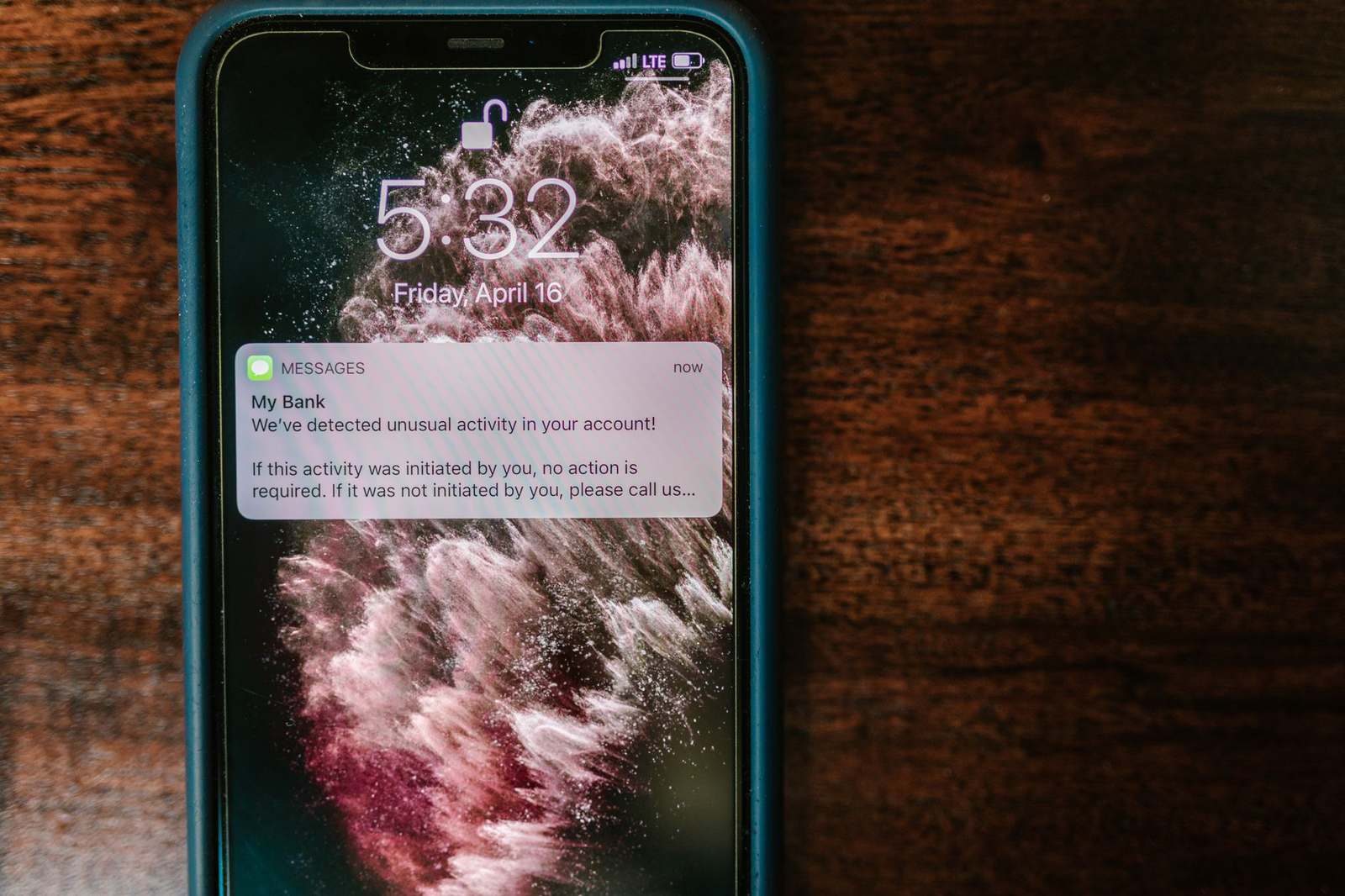
Lock down your bank app before the Christmas scam rush
Three settings in your banking app can stop a compromised phone from moving your money. It takes ten minutes to switch them on.
Why the phone rings in November
Scams peak in the fourth quarter because larger balances from bonuses and increased online shopping make you a prime target. You will likely face a fake safe account call, urging you to move your own money into an account the scammer controls. Alternatively, a fake courier may arrive at your door to collect your card and PIN, or you might receive an urgent transfer request that exploits your willingness to act quickly.
The common thread is that every one of these schemes requires you to do something active. You must move funds, hand over a card, or authorise a payment. The phone or the doorstep is the entry point; your authorisation is the exit. With more free time for social engineering, these tactics are designed to override your caution.
Why 'just be careful' is not a setting
Authorised push payment fraud is difficult to reverse because once you approve a transfer to an account the scammer controls, the bank treats it as a valid transaction. Recovery is not certain, so the strongest defence is preventing the authorisation step from happening rather than relying on getting your money back later. This threat is not purely digital. A courier scammer may visit your door and collect your card and PIN during a brief conversation, completing the fraud without you ever seeing a confirmation screen. Passive caution depends on you being alert at the worst possible moment, which is hard when you are stressed or busy with Christmas preparations. A structural barrier in your app works even when you are distracted, offering protection that does not rely on your immediate reaction.
The settings that stop the money moving
Start by sealing the app itself. Enable biometric app lock so the banking software cannot be opened without your fingerprint or face. If a phone is stolen or left unlocked, this barrier keeps the app inaccessible. It does not stop social engineering, where you are talked into authorising a payment yourself, but it removes the immediate threat of an unauthorised user simply opening the app and making transfers.
Next, switch on new-device and location alerts. These flag logins from unfamiliar devices or out-of-area locations. This disrupts the common scam tactic where a fraudster convinces you to complete a fresh login on a second device under the guise of official support. By blocking or flagging the unusual activity, you break the chain before the attacker gains control.
Finally, set step-up authentication for transfers. Configure a threshold above which any payment requires a second confirmation, such as a separate code or a cooling-off period. This creates a wall that a high-pressure instruction like “transfer now or your account will be frozen” cannot easily bypass. No single setting is foolproof, but layering these independent barriers means a fraudster must defeat all of them in sequence. This materially raises the effort required and increases the chance you will notice something is wrong before the money moves.
The cost of one mistake
If a scammer talks you through a transfer, the damage is not just the loss of the money. It is the interest you would have earned, plus the cost of borrowing to replace it. The average credit card APR is 24.71%, the average personal loan APR is 11.52%, and the average arranged overdraft rate is 34.52%. By contrast, the average instant-access rate is 2.06% and the average 2-year fixed bond rate is 4.50%.
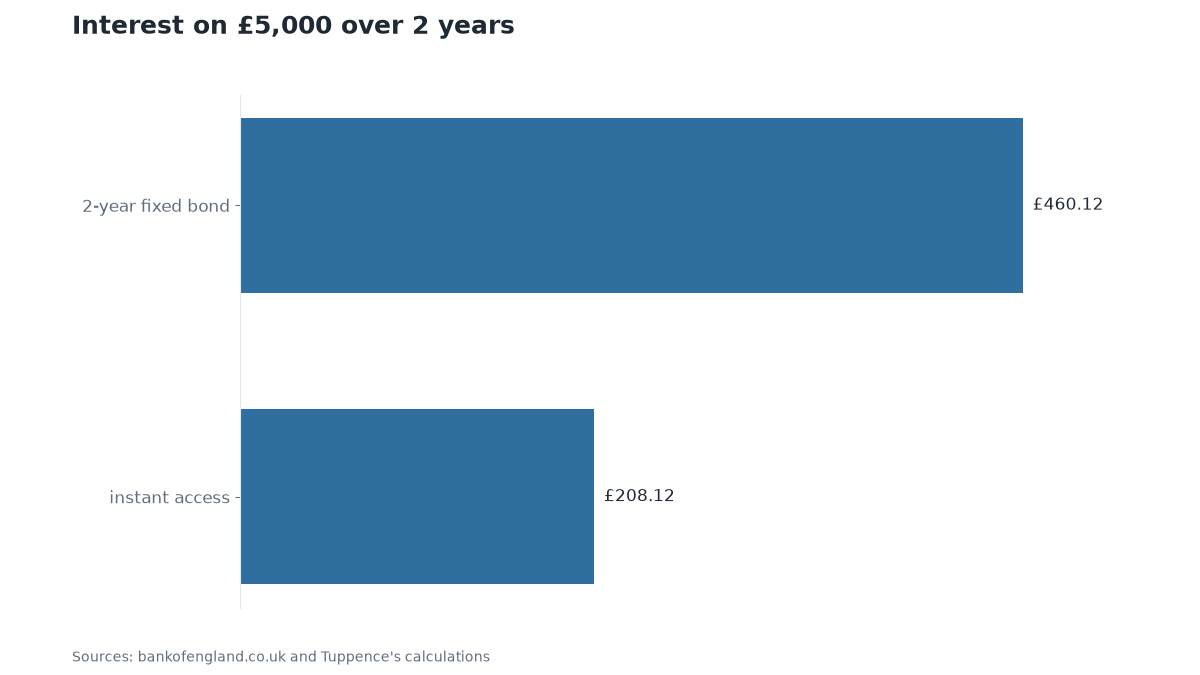
For a household holding £5,000 for 2 years, the 2.06% instant-access rate earns £208.12 before tax, with interest added yearly. The 4.5% 2-year fixed bond rate earns £460.12 before tax, also with interest added yearly. The 2-year fixed bond earns £252 more than instant access over 2 years. This gap, combined with the high borrowing costs to replace the lost principal, represents the true cost of a single authorised transfer.
If the call comes: break the pressure
The most effective response to any unsolicited contact creating time pressure is to end the contact and reach your bank through a channel you control. Hang up, then dial the number printed on the back of your debit or credit card. Never use a number provided by the caller, and never follow a link in a text message urging you to move your money to a safe account.
If a courier arrives at your door, do not open it, hand over your card, or read your PIN aloud. Walk away and call your bank independently. This approach works best for phone, video, and SMS scams. It is less effective if malware is already on your device, which is why the structural settings in the previous section serve as your essential backstop.
Who this matters most for, and what to do this week
This matters most if you hold a four-figure or five-figure balance, expect a year-end bonus, or share your phone with a partner or teenager. A payment you authorise is the hardest to reverse, yet the protective settings cost nothing and take under ten minutes to set up. The effort required is minimal compared to the potential loss.
To act this week, open your banking app and enable biometric lock. Switch on alerts for new devices and unfamiliar locations. Review your recent transaction history to check for unknown activity. Set a reminder to review these settings after any major software update. If you share a device, consider using a separate profile or a second device dedicated solely to banking.
These are general settings available on most UK banking apps. This is not a recommendation of any one provider. You do not need to change banks to benefit from these basic security measures.
- savings pot: £5,000
- years: 2 years
- holding period: 2 years
- Open your banking app and enable biometric lock so it cannot be opened without your fingerprint or face
- Switch on new-device and out-of-area login alerts in the app's security menu
- Set a transfer threshold that triggers a second confirmation for any payment above it
- Turn on real-time push notifications so you see every transaction the moment it is made
- Write your bank's phone number from the back of your card on a note and keep it in your wallet or on the fridge
Sources
- Scam avoidance database: Bank 'safe account' scam, 2026-09-25 (StreetOwl scam avoidance database, via StreetOwl)
- Scam avoidance database: Courier fraud (police or bank 'investigation'), 2026-09-25 (StreetOwl scam avoidance database, via StreetOwl)
- Scam avoidance database: Authorised push payment (APP) fraud — the mechanism, 2026-09-25 (StreetOwl scam avoidance database, via StreetOwl)
- What borrowing costs: Credit card, representative APR on purchases, Sep 2026 (Bank of England IUMCCTL, via StreetOwl)
- What borrowing costs: Personal loan of £5,000, APR, Sep 2026 (Bank of England IUMBX67, via StreetOwl)
- What borrowing costs: Arranged overdraft, interest rate, Sep 2026 (Bank of England IUMODTL, via StreetOwl)
- What savings pay: Instant-access savings account (including introductory bonuses), Sep 2026 (Bank of England IUMB6VJ, via StreetOwl)
- What savings pay: 2-year fixed-rate savings bond, Sep 2026 (Bank of England IUMB6RH, via StreetOwl)
This digest was drafted by StreetOwl’s own model from published figures and the sources listed, then read and approved by Michael Rossi on 4 November 2026 before it went up. It is general information, not financial advice: your circumstances are yours, and for a decision that matters, MoneyHelper (free, government-backed) or a regulated adviser is the place to go. General information, not personal financial advice. Figures checked on the dates shown.
← Back to StreetOwl